
The kanban board for Claude Code, Codex and Gemini
One board for all your coding agents.
Claude Code, Codex and Gemini log every request as a ticket and keep it current. Stop asking them where things stand.
Nothing leaves your Mac
The Leftmark app: a board where Claude's ticket waits in Needs you with a question, Claude and Codex are running tickets in Doing, and the open ticket T-052, Fix flaky login test, shows where Claude left off, its next action and the command to resume Claude's session.
How Leftmark works
Your agents do the bookkeeping over MCP. You stop rebuilding the picture from terminal tabs.
Connect Claude Code, Codex and Gemini from the app in one step. Leftmark backs up each agent's settings before it changes them.
Each request becomes a ticket, with the project, branch and session it came from.
They move the ticket from Doing to Done as they work, send it to Needs you when they want you to check it, and say when they're blocked.
Questions and runs waiting for your go-ahead land in Needs you, with Reply right on the card.
Press U to step through only what changed while you were away. Resume any session from its ticket.

One dashboard for every AI coding agent you run
Five Claude Code sessions, two Codex runs, a Gemini chat. Leftmark puts every one of them on the same board.
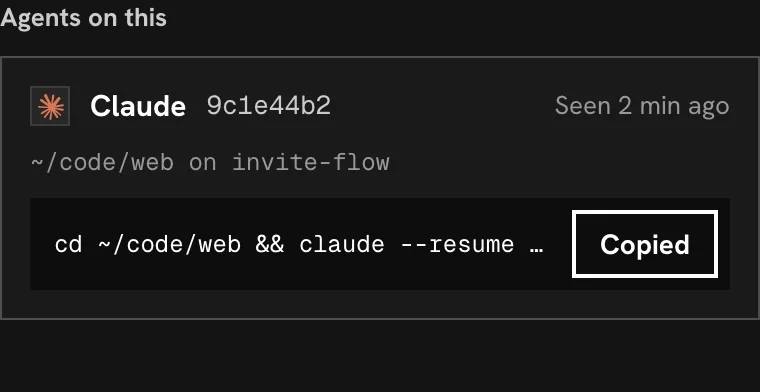
Claude Code
Every Claude Code session logs its tickets with its session ID, so you can resume the exact session after the terminal is gone.
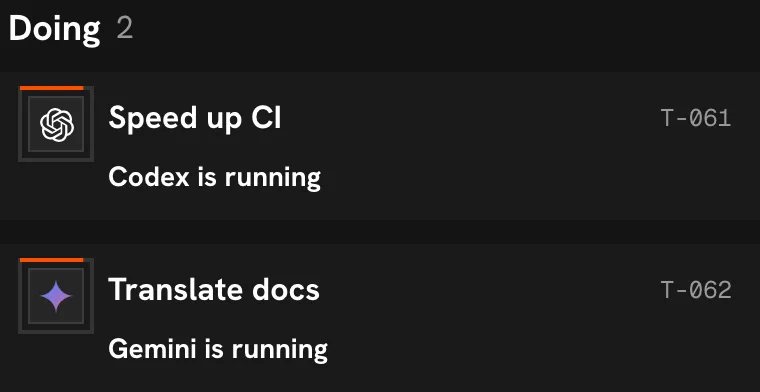
Codex and Gemini
Connected the same way, through their own CLIs. Their work shows on the same cards, with each agent's logo on the ones it owns.
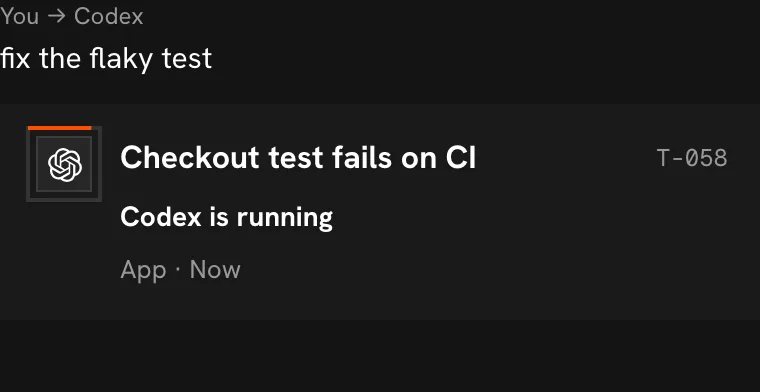
Hand work over with @mention
Write @codex fix the flaky test on a ticket to start a run in its own worktree. When one agent asks another for help, you approve it first.
Your board stays on your Mac
One file, no account
The whole board is one SQLite file on your Mac. There's no sign-up and no cloud copy.
No telemetry
Leftmark makes no AI calls of its own and sends nothing home. A bug report goes out only when you read it and press Send.
Day job and side projects apart
Projects claim folders. An agent working in your day job's folder can't see your side project's tickets.
Questions
What is Leftmark?
Leftmark is a Mac app, now in beta: a kanban board for AI coding agents. Claude Code, Codex and Gemini log every request to it over MCP and keep each ticket current, so you can see what every agent is doing without reading its chat.
How do I resume a Claude Code session after closing the terminal?
Every ticket keeps the session that worked on it. Open the ticket and copy its resume command: it changes to the right folder and runs claude --resume with that exact session ID, so you don't hunt through the resume list.
Does it work with Cursor or other agents?
Yes, any agent that supports MCP can use it. Claude Code, Codex and Gemini connect in one step from the app. For any other agent, add an MCP server named leftmark in its settings, with the command set to the full path of ~/Library/Application Support/Leftmark/bin/leftmark and the argument mcp. Then add the board habits to its rules: running that same command with agent-instructions prints them.
Can I see all my Claude Code sessions in one place?
Yes. Each request becomes a ticket with its project, branch, session and status, whichever terminal it came from. Needs you collects the questions and approvals waiting on you.
Is Leftmark an agent orchestrator?
No. It tracks; it doesn't run your agents for you. You keep using Claude Code, Codex and Gemini the way you do now, and they keep the board. When you want to hand a task over, @mention an agent on its ticket.
Does Leftmark send my code or chats anywhere?
No. The board is one SQLite file on your Mac, with no account and no telemetry. Leftmark makes no AI calls of its own. The only thing it ever sends is a bug report you have read and chosen to send.
Can I use Leftmark now?
Leftmark is in beta and invite only for now. Request an invite and we'll send you the Mac app. There's no account to create.
Which Macs does it run on?
Macs with Apple Silicon, on macOS 13 or later.